
A sitemap is also a Big part of the Google Search Engine. When we Submit Our blog or site to Google. We need to create an XML Sitemap. Sitemap Help Search Engine to crawl your post or your site in the Search Engine. we Create XML Sitemap for Google Webmaster Tool, Bing Webmaster Tool.
Sitemap Help Search Engine to index your website or post in the Search Engine.if we use WordPress, then we can easily create XML sitemap easily. If we use the Yoast WordPress Plugin.This Plugin Auto XML sitemap option. if you do not use Yoast SEO Plugin you can use the Google XML Sitemap Plugin in WordPress.
What Is an XML Sitemap?
An XML sitemap is a file that lists the URLs of a website you want search engines to crawl. It provides metadata like:
- Last modified date
- Update frequency
- Page priority
This file helps search engines like Googlebot or Bingbot understand the structure of your website, improving indexing efficiency, especially for large or complex sites.
How To Create a Sitemap in WordPress Yoast SEO Plugin
If you use the Yoast SEO Plugin, then open your WordPress Dashboard and click on SEO, as shown in the Picture. Go to Yoast SEO Plugin Settings and click on XML sitemap and enable Sitemap.

How Can You Find a Sitemap in WordPress?
Now, you create an XML sitemap. If you want to see your site’s XML sitemap. You can easily see our website Sitemap and now click on Save Settings. You can see the sitemap . After you site URL, enter this Code words /sitemap_index.xml, and you will see your blog/site XML sitemap
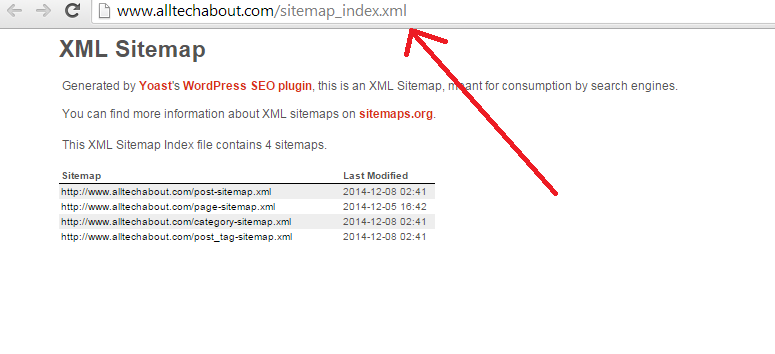
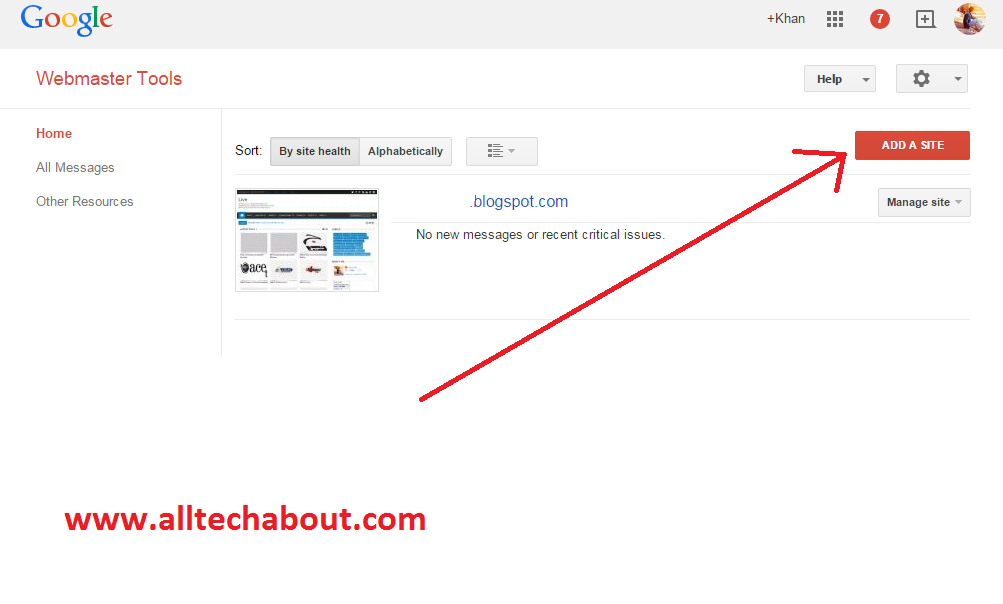
you Add this in Google webmaster Tool submit in Google webmaster tool and Test
Benefits of a Custom XML Sitemap
- Improved Crawling Efficiency: Guides search engines to high-value pages.
- Faster Indexing: Notifies crawlers of new or updated content.
- Better User Experience: Ensures critical pages are discoverable.
- SEO Control: Allows prioritization of URLs for better ranking potential.
How to Create a Custom XML Sitemap for Better SEO (Step-by-Step)
1. Choose a Sitemap Creation Tool or Go Manual
You can either manually create an XML file or use tools like:
- Screaming Frog SEO Spider (Export Sitemap)
- XML-Sitemaps.com
- RankMath (with custom settings)
- Yoast SEO Premium
- Google Search Console’s URL Inspection + manual input
For manual creation, your sitemap should follow this structure:
<?xml version="1.0" encoding="UTF-8"?>
<urlset xmlns="http://www.sitemaps.org/schemas/sitemap/0.9">
   <url>
      <loc>http://alltechabout.com/</loc>
      <lastmod>2025-06-25</lastmod>
      <changefreq>weekly</changefreq>
      <priority>1.0</priority>
   </url>
   <!-- Add more URLs below -->
</urlset>
- <loc>: Page URL.
- <lastmod>: Last modified date.
- <changefreq>: Update frequency (daily, weekly, monthly).
- <priority>: Importance (0.0 to 1.0).
Validate Your XML Sitemap
Use Google’s Sitemap Validator Tool or XML sitemap validators to ensure:
- No syntax errors
- Proper UTF-8 encoding
- Correct tag structure
Optimize for Large Websites
For sites with over 50,000 URLs:
- Split into multiple sitemaps (e.g., blog_sitemap.xml, products_sitemap.xml).
- Create a sitemap index file:
<?xml version="1.0" encoding="UTF-8"?>
<sitemapindex xmlns="http://www.sitemaps.org/schemas/sitemap/0.9">
  <sitemap>
    <loc>http://alltechabout.com/blog_sitemap.xml</loc>
    <lastmod>2025-06-25</lastmod>
  </sitemap>
  <sitemap>
    <loc>http://alltechabout.com/products_sitemap.xml</loc>
    <lastmod>2025-06-25</lastmod>
  </sitemap>
</sitemapindex>
For Shopify or Wix Users
These platforms generate sitemaps automatically.
- Shopify: Visit
https://yourstore.myshopify.com/sitemap.xml - Wix: Go to SEO tools > Manage Site > View Sitemap
No manual creation needed just submit it to Google Search Console.
Conclusion
If you want to take control of your SEO, improve search visibility, and ensure better crawlability, you must learn to create a custom XML sitemap. It’s not just about listing URLs—it’s about strategically guiding search engines through your website.Hope you Easily Create your XML sitemap, if we miss any things tell us and contact us via comments