Facebook is the most popular and active social media platform. Millions of visitors are active on Facebook. Many People Like this because they don’t want anyone other than Facebook users to download their Photos and Copy them. You see many photos that will be shown only like a logo. We don’t download them and see. because they use privacy. Especially girls who don’t want their profile pictures downloaded by users on Facebook.
They use privacy and we cannot see their picture. if we want, we can also make your Facebook Profile photo or Picture non-unclickable. Mostly People use only Facebook and do not use other networks. so privacy is a problem for families and Users. In this article, we know about and increase our Facebook profile privacy. And Make Facebook Profile pictures non Unclickable. we disabled clicking on their profile picture after that nobody see our picture.
How to Make Your Facebook Profile Photo or Picture Non-Unclickable
First, log in to your Facebook account with your Email and Password.
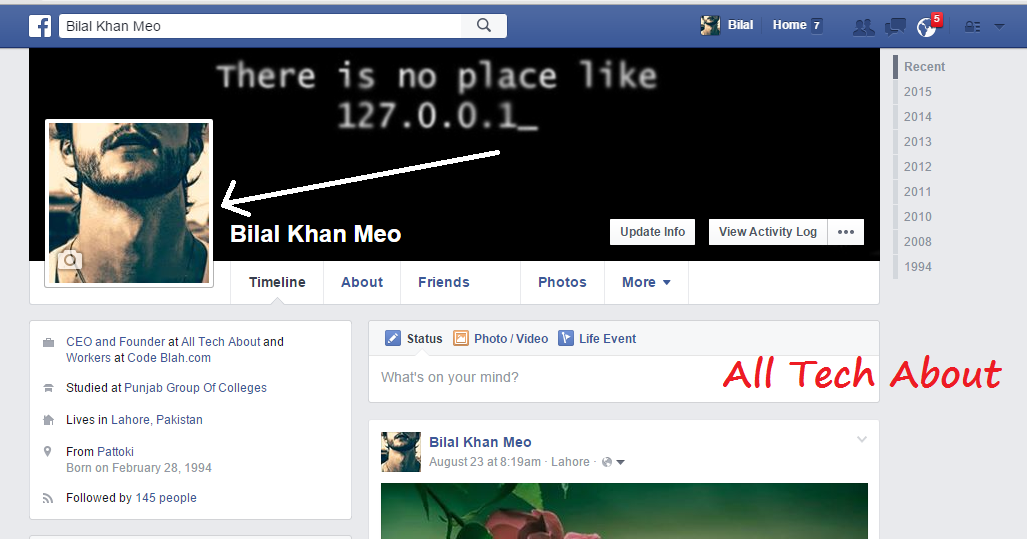
Now Click on Profile and Picture. Select your current profile picture.
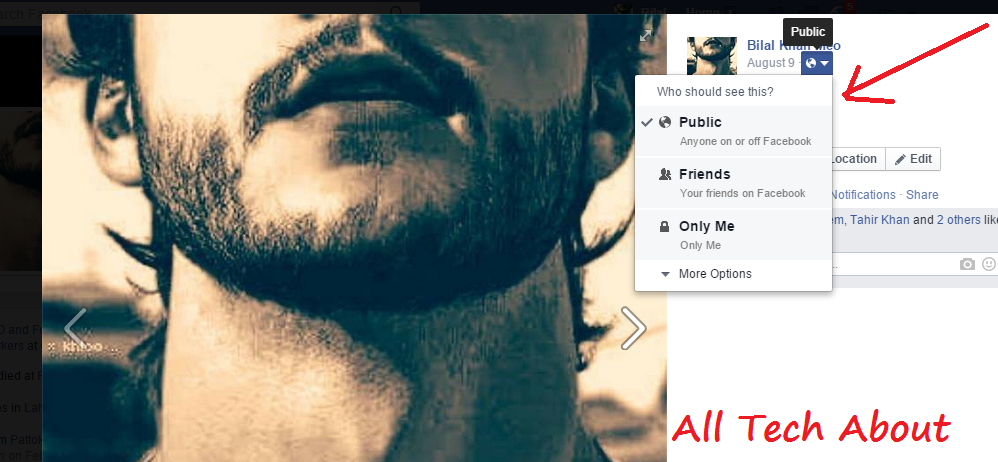
You can see Arrow in Picture; click on these options.
Now that your Profile is Public, everyone can download it easily and see it. But you want to download it.
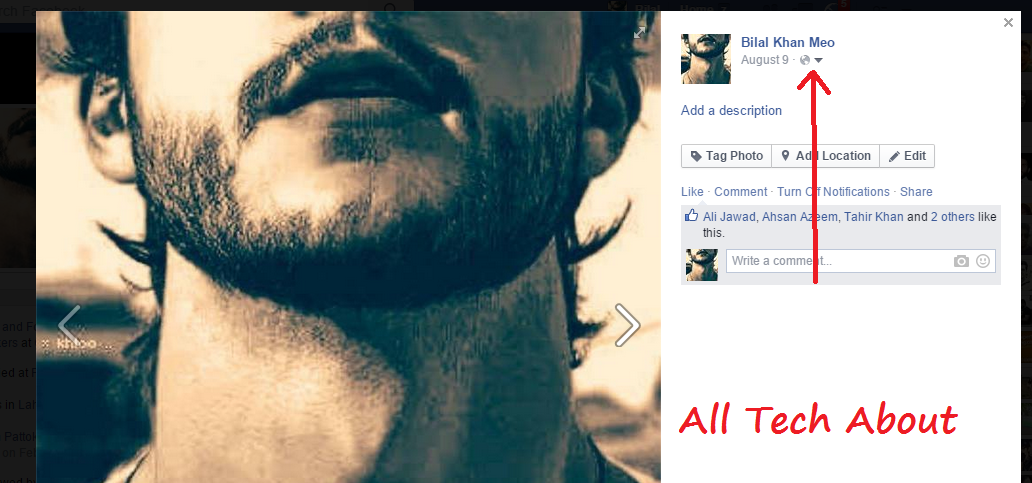
How to Make Facebook Profile Picture Non-Downloadable?
You just click on the Only Me option, and you make your profile private. Nobody downloads it.
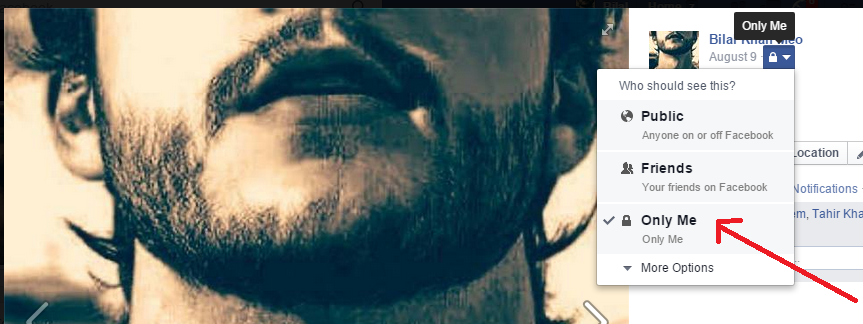
Now you go back to your profile and see. if you have another account you log in with your other account and now try to download your privacy profile picture. This is not able to download.
Why Make Your Facebook Profile Picture Unclickable?
- Privacy: If you’re concerned about your privacy, you may want to make your profile picture unclickable so that people can’t enlarge it or save it to their computer. This can help to prevent identity theft and other online scams.
- Security: If you have a high-profile job or position, you may want to make your profile picture unclickable to protect yourself from potential threats.
- Branding: If you’re using your Facebook profile for business purposes, you may want to make your profile picture unclickable to prevent it from being used without your permission.
Some more tips on how to make your Facebook profile picture unclickable:
- Use a low-resolution image. The lower the resolution of your profile picture, the less likely it is to be enlarged or saved.
- Blur your profile picture. This will make it more difficult to see your facial features and other identifying information.
- Add text or graphics to your profile picture. This will make it less attractive to download or use without permission.
- Use a privacy screen or extension. There are a number of privacy screens and extensions available that can prevent people from clicking on your profile picture.
Conclusion
Your Facebook profile picture is a vital part of your online presence. Making it unclickable assists you in keeping your privacy and guarding your records. By following some simple steps, you can regain control over who sees your image while nonetheless taking part in the blessings of social connection.