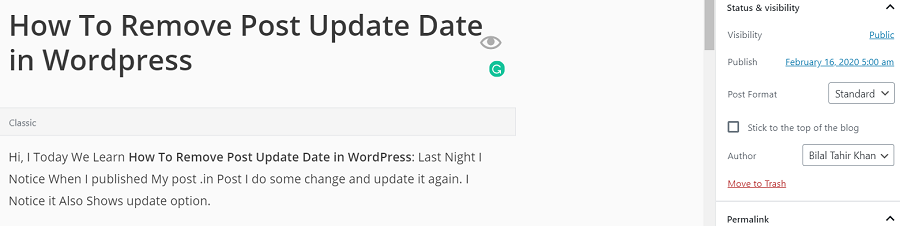
Hi, today We Learn How To Remove the Post Update Date in WordPress. Last Night, I Noticed That When I published my post, I made some changes and updated it again. I also notice that it shows the update option. Removing the post update date can give your evergreen content a timeless feel, boost user trust, and potentially improve your SEO by keeping your posts looking fresh.
Why Remove the Post Update Date in WordPress?
Post update dates can sometimes work against you, especially for evergreen content like tutorials, guides, or product pages that remain relevant over time. A date from years ago might make users think your content is outdated, even if you’ve recently refreshed it. According to a 2023 study by Search Engine Journal, 67% of users are less likely to click on articles with older publication dates, even if they rank high on Google.
Removing or hiding the update date can help your content appear current, improve click-through rates (CTR), and maintain user trust.
Methods to Remove the Date from Your WordPress Posts
- From the WordPress Dashboard
- Plugin Method
- CSS Method
- Code Edit Method
Using Theme Settings (Easiest Option)
Many modern WordPress themes like Astra, GeneratePress, and Kadence let you customize meta information.
Steps:
- Go to your WordPress dashboard.
- Navigate to Appearance > Customize.
- Click on Blog > Blog/Single Post Settings.
- Look for an option like “Display Post Date” or “Meta Info”.
- Uncheck the option that displays the updated date.
How to Remove the Date from Your WordPress Posts
1 – First, Open Your Blog and See Your Update Date Will show
2 – Now Login In to your WordPress Dashboard
3 – Now Go To Appearance and Click on Editor
Removing the Date With Code
4 – Now, Click on Single-author-date.php
Click on This
5 – Now Author-Date Edit Page open, And You See the Code inthe Picture
This Code is In Your Blog you change it.
<?php if( get_the_modified_date() != get_the_date() || get_the_modified_time() != get_the_time() ) : ?>
<?php _e('Published', 'hueman'); ?> <time class="published" datetime="<?php echo $published_date; ?>"><?php echo $published_date; ?></time>
· <?php _e('Updated', 'hueman'); ?> <time class="updated" datetime="<?php the_modified_date( get_option('date_format') ); ?>"><?php the_modified_date( get_option('date_format') ); ?></time>
<?php else : ?>
Now You Replace Code With This code
<?php if( get_the_modified_date() != get_the_date() || get_the_modified_time() != get_the_time() ) : ?>
<?php _e('Published', 'hueman'); ?> <time class="published" datetime="<?php the_time('Y-m-d H:i:s'); ?>"><?php the_time(get_option('date_format')); ?></time>
<?php else : ?>
6 – After Replaced code Click on Save and you Show Message on Top Edited Successfully.
7 – Now Go back to your Blog Homepage and Open any Post. You See Update Option Will Remove.
Remove the Date With Plugin in WordPress
- Go to Plugins section of Admin Panel
- Plugins > Add New
- Search the plugin name WP Meta and Date Remover
- Install and activate it.
- After the activation, check the plugin settings to remove the date or any other meta elements.
SEO Considerations When Removing Post Update Dates
While removing post update dates can make your content appear timeless, it’s crucial to follow Google’s guidelines to avoid penalties. Here’s how to stay SEO-friendly:
- Update Content Regularly: Google values fresh, relevant content. If you hide dates, ensure your posts are up-to-date to avoid misleading users.
- Use Structured Data: Include datePublished and dateModified schema markup to help Google understand your content’s timeline. Plugins like Rank Math or Yoast SEO can automate this.
- Avoid Date Manipulation: Changing dates without significant updates can be seen as deceptive. Google’s John Mueller has stated that insignificant date changes don’t boost SEO and may harm trust.
- Monitor CTR: Use Google Search Console to track click-through rates after removing dates. A 2024 study by Ahrefs found that date-free posts saw a 12% increase in CTR for evergreen content.
Final Thoughts
Removing the post update date in WordPress can help improve user trust, reduce bounce rates, and optimize your evergreen content for SEO. Whether you’re a beginner using plugins or a developer tweaking the theme code, there’s a solution that fits your needs.
I hope it will be Helpful For You, and If you face any problem in this post and you want to improve or add more Things, please Text Us. Via Mail or Comments. We improve it More. Thank you For Reading.
Thank you very much for your good tips. It’s very helpul…